An existing product does not have to match every preference to be the better investment. Start with the gap that matters, then compare the full cost of buying, running or building the software.
If an existing product does 95% of what your business needs, my advice is to look very carefully at the remaining 5% before deciding to build your own.
Buy when a product meets the essential requirements and you can live with, configure or work around the gaps. Build when a missing capability is important enough to justify the cost and responsibility of developing it. Often, the sensible answer is to buy the core product and build a small part around it.
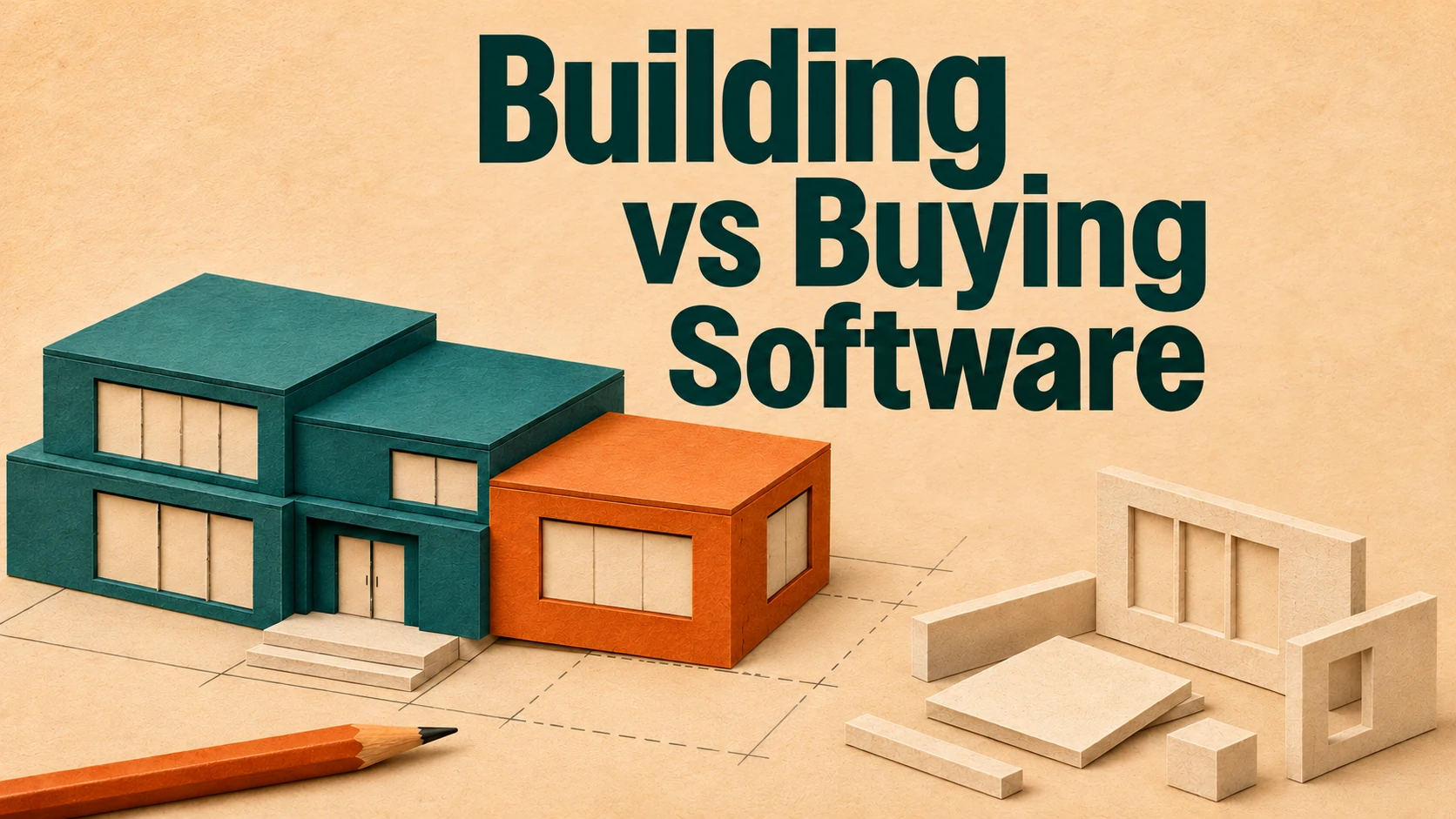
The temptation is to reject a product because it does not work exactly as you imagined. But choosing an established product may let you skip much of the work involved in creating and maintaining one yourself. A slightly different workflow can be a reasonable price to pay for that.
The percentages are shorthand for fit, not a calculation of development effort. One missing capability can still be the reason a product is unsuitable.
Find out what the missing 5% actually means
A report with the wrong layout and a system that cannot enforce the permissions your customers need are very different problems. Counting them both as one missing feature tells you little.
Before looking at a build, write down the consequence of each gap. Does someone spend a few minutes tidying an export? Does an entire team rekey orders every day? Could one customer see another customer's records? Is the missing workflow the reason people would pay for your product?
That gives you something useful to discuss with a supplier. A preference might be negotiable. A recurring operational cost needs investigating. A requirement that protects customers or makes the business possible may rule an option out altogether.
There is another question I would ask: does the software need to change, or could the process change? Sometimes a business has a sound reason for doing things differently. Sometimes the process exists because a spreadsheet was set up that way years ago. It is worth knowing which before paying to reproduce it.
Buying, configuring and integrating are different options
Build vs buy is rarely a choice between accepting a product untouched and commissioning everything from scratch. You might configure an existing platform, use a supported extension, or connect it to another system through an API.
On smaller screens, scroll across to compare the three columns.
| Approach | A good reason to consider it | What to check |
|---|---|---|
| Buy and configure | The core workflow is well served by an existing product. | Essential requirements, configuration limits, data export and ongoing charges. |
| Buy and integrate | The product works, but a specific data flow or workflow is missing. | Supported APIs, access limits, error handling and who maintains the connection. |
| Build bespoke | The unmet requirement is central to the business or product. | Delivery capability, realistic scope, operating costs and ownership after launch. |
Imagine a distributor whose order system handles stock, customers and fulfilment, but cannot pass confirmed orders to its accounting package. Replacing the entire order system would be one response. Investigating a supported integration would be a more proportionate place to start.
That is an illustrative example, not a client result. The integration still needs scoping: refunds, duplicate records and failed transfers all matter. But it is a narrower problem than rebuilding order management.
An API integration may close the gap while leaving the order system in place. Check that the connection is supported and agree who will maintain it.
Compare the costs after the first version
Software development can become expensive quickly when new requirements, exceptions and dependencies keep appearing. The initial build is only one part of the commitment.
For an existing product, investigate licences, usage limits, implementation, migration, training, integrations and the cost of leaving. For bespoke software, include discovery, development, testing, hosting, monitoring, security updates, support and future changes. Both options need someone in the business to make decisions and take responsibility.
Compare them over the same period. Three years can be a useful planning window, provided you state the assumptions and consider how the answer changes if users, transaction volumes or support needs increase. It is a comparison, not a forecast you can guarantee.
UK government technology purchasing guidance takes a similar approach: consider the full lifecycle cost and whether building, buying or combining the two best meets the need. It is public-sector guidance, but that comparison is useful for a commercial business too. [1]
Buying also leaves you with supplier risk. Check that you can export usable data, that the pricing still works at your expected scale, and that essential functionality does not depend on an unsupported workaround.
Compare your software options
Use the Build vs Buy Decision Workbook to record essential requirements, compare buy, integrate and build options, and examine three-year costs. It includes a completed fictional example, maintenance responsibilities and a short PDF guide.
Get the build vs buy workbook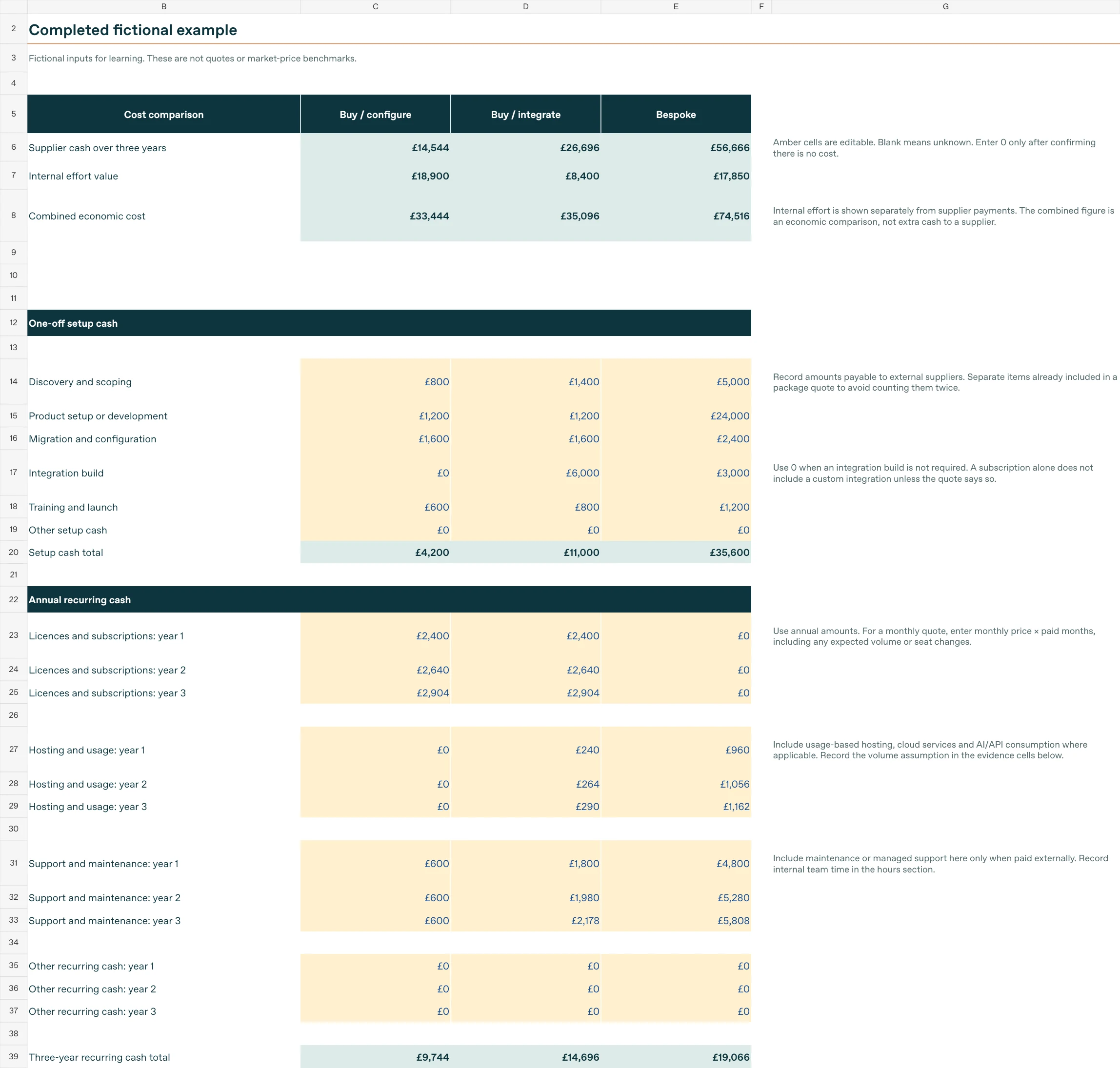
Want a second opinion on the options? Discuss your software decision with Galvia Digital.
AI changes the build conversation, but the ownership remains
AI-assisted development makes this decision harder to judge. You can describe an idea and get something convincing on screen very quickly. That can help people understand a workflow and test whether an idea deserves more investment. But a convincing demonstration can make the remaining engineering work easy to underestimate.
A working demonstration does not tell you whether customer accounts are properly separated, whether a failed payment is handled correctly, whether backups can be restored, or whether another developer could safely change the code. If you cannot judge what the tool has produced, you also cannot judge how much work remains.
That is where a cheap prototype can lead to an unrealistic budget. The screens exist, so the next quotation looks expensive. Yet the quotation may cover permission checks, failure handling, deployment and support arrangements that the prototype has never demonstrated.
Lovable provides security scans, and its own documentation says these do not replace a thorough security review. It recommends considering a professional review for applications handling sensitive data or critical functionality. These mistakes can happen in software written by people too; an AI builder does not remove the need to check. [3]
Public API keys and exposed secrets are not the same thing
Some keys are deliberately public. Supabase publishable keys are intended for browser applications, with data access controlled by the database's permissions. Secret keys and privileged service-role credentials must stay out of browser code and public repositories. A visible public key alone does not prove a leak. [4]
The practical questions are whether confidential credentials are exposed and whether the backend enforces what each user is allowed to access. Hiding an admin button on screen does not establish that the underlying action is protected. Lovable's security guidance makes the same distinction between browser code and server-side controls. [5]
If AI has helped build your application, have someone qualified review the code, configuration and actual behaviour before relying on it with real customers. GitHub's guidance on reviewing AI-generated code similarly includes human oversight, tests, static analysis and checking dependencies. [6]
For an existing build you do not trust, start by establishing what is usable and what needs attention. That is the starting point for software project rescue, before committing to more development.
Who will maintain the software when something goes wrong
This is the part of the build vs buy conversation I would spend more time on. Software needs people responsible for it after launch, and AI is making the work of finding, checking and fixing vulnerabilities more pressing.
We and colleagues across the industry are putting out fires every day. That can mean investigating a failure, assessing a security issue or checking whether an update is safe to deploy. The work continues even when nobody is asking for a new feature.
The NCSC's 2026 assessment warns that AI-assisted vulnerability discovery and exploit development give attackers more opportunity to target systems before owners patch them. Its guidance calls for organisations to prepare to deploy updates more quickly and frequently. AI can help defenders too, but someone still has to assess the findings, prioritise the work and check the result. [7] [8]
With a software subscription, you may be paying for an established supplier team to maintain the product, release fixes and operate the service. Ask what the agreement covers, how incidents are handled and which responsibilities remain yours. Your users, access settings, data and custom integrations still need attention.
With bespoke software, you arrange and fund that capability yourself. You can employ an internal team or agree ongoing support with a development partner. Either way, someone needs enough knowledge of the system to investigate problems and make safe changes.
Would you rather pay a subscription to a supplier that has agreed to maintain the product, or organise and fund that responsibility yourself? They bring different pressures, and the answer belongs in the budget before development starts.
A subscription to an AI app builder does not automatically buy maintenance of your finished application. Access to a platform and responsibility for the software you create on it are separate things. Check the terms before assuming somebody else is looking after it.
When building bespoke software is justified
There are good reasons to build. Your software might be the product customers buy. An unusual operational requirement might be central to how you deliver a service. Existing products might fail an essential access, integration or deployment requirement that you have tested properly.
The important part is being able to explain the value of the missing capability and why a smaller intervention will not resolve it. Then establish who will fund, maintain and make decisions about the software after launch.
Where there is an uncertain technical assumption, a focused proof of concept can test it before you commit to the whole build. Test the difficult integration or permission model, rather than spending the exercise polishing screens you already know can be made.
If that evidence supports a bespoke route, custom software development can be a sound investment. Define the smallest useful scope first and agree what it must demonstrate before extending it.
Record the decision before commissioning anything
Write down the business problem, the essential requirements, the gaps in each option and the consequences of those gaps. Add comparable costs, the main uncertainties and the person who will own the result.
If a product gets you most of the way there, give it a fair trial using a real workflow. If it fails, record exactly where and why. You will have a stronger reason to build, and a better brief for whoever does the work.
I would want that evidence before committing a business to years of software ownership because one feature was missing.
Build vs buy software FAQs
Should I build or buy software for my business?
Buy when an existing product meets your essential requirements and the remaining gaps are manageable. Build when an important unmet requirement justifies the development and maintenance costs, and configuration or integration cannot resolve it.
Is buying software cheaper than building it?
It can be, particularly when customers share the supplier's development and maintenance costs. Compare licences, implementation, integrations and exit costs with the full cost of developing and supporting bespoke software over the same period.
What is the difference between bespoke and off-the-shelf software?
Bespoke software is developed around your requirements. Off-the-shelf software is built for a wider market, although configuration and extensions may let you adapt it to your business.
Can I buy software and build the missing features?
Sometimes a supported API or extension can fill a specific gap without replacing the whole product. Check the platform's limits and establish who will maintain the connection.
Can AI build production-ready software?
AI can contribute to production software, but a working demonstration does not establish that an application is ready for customers. Have a qualified person review its code, permissions, configuration, failure handling and deployment.
Who maintains bespoke software after launch?
Your internal team, a development partner or an agreed support provider can maintain bespoke software. The business still needs a named owner and a budget for updates, security fixes and future changes.
Is subscription software automatically more secure?
No. Assess the supplier and your own configuration, access controls and integrations; buying a service does not remove those responsibilities.
Does an AI app-builder subscription include maintenance?
Check the terms. Access to building and hosting tools does not necessarily include someone reviewing your application, fixing its defects or managing its security over time.